> For the complete documentation index, see [llms.txt](https://support.iafcertsearch.org/verifiers/llms.txt). Markdown versions of documentation pages are available by appending `.md` to page URLs; this page is available as [Markdown](https://support.iafcertsearch.org/verifiers/listing/companies/company-detail-page.md).
# Company Detail Page
This page is specific for the company you are searching for
Here you'll find 2 navigational tabs
* Details, where you can see the information you have uploaded to search for the company you are trying to verify
* Certifications, where you can see the detailed certification information of the company you are trying to verify
## Details
#### Company Details
* **Company Name:** The primary name of the company.
* **Alternative Name:** Any additional names the company may be known by.
* **Country/Economy:** The country or economy in which the company operates.Legal Identifiers: Unique identifiers used for legal purposes.
#### Legal Identifiers
* **VAT Number:** The company's Value Added Tax identification number.
* **Tax ID: The** company's Tax Identification Number.
* **Company ID Number:** A unique identifier assigned to the company.
* **Business Registration Number:** The number assigned upon the company’s registration.
* **DUNS Number:** The Data Universal Numbering System number, used for business identification.
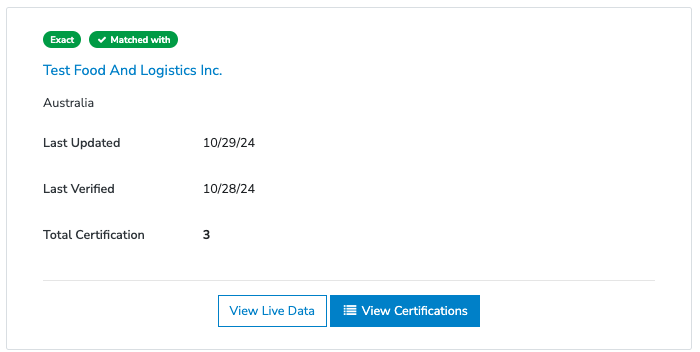
#### Matched with Company Information
This section displays the Certified Entity that matches the company you've imported. It indicates whether the Certified Entity is an exact match.
Additionally, it provides buttons to view the live verification data and access the company's certifications.
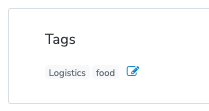
#### Tags
This feature allows for custom categorization, enabling you to organize and group records based on your preferences.
### Certifications
This tab displays all the certifications issued to the company you are trying to verify.
Here you can see the following:
* Certificate Number
* Standards and Schemes
* Verification Date
* Actions